
Inside the Thinking Machine: How Computers Turn Ideas into Action
What a Computer Is (and Isn’t)
A computer is an electronic system designed to accept input, process it according to stored instructions, and produce output—often while saving data for later use. What makes a computer remarkable isn’t just speed; it’s flexibility. The same device can edit a photo, simulate weather patterns, secure financial transactions, or teach a language, simply by running different programs.
Computers are sometimes confused with the internet, but they are not the same. The internet is a global network that connects computers; a computer can work perfectly well offline. Likewise, “computer” doesn’t only mean a desktop PC. Phones, tablets, smart TVs, game consoles, and even cars contain computers optimized for specific tasks.
The Core Building Blocks
Most modern computers follow a common architectural idea: hardware performs operations while software provides instructions. Together they form a layered system where each layer depends on the ones beneath it.
Hardware: The Physical Components
- Central Processing Unit (CPU): Executes instructions and coordinates tasks. It’s often described as the “brain,” handling arithmetic, logic, and control operations.
- Memory (RAM): Short-term workspace for data and programs currently in use. It’s fast but temporary—contents disappear when power is off.
- Storage (SSD/HDD): Long-term data retention. Solid-state drives (SSDs) are typically faster and more durable than hard disk drives (HDDs).
- Motherboard and Chipset: The main circuit board that connects components, manages data pathways, and provides expansion options.
- Graphics Processing Unit (GPU): Specialized for parallel computations, accelerating graphics and increasingly used for AI and scientific workloads.
- Input/Output Devices: Keyboards, mice, cameras, sensors, displays, speakers, and network adapters translate between the computer and the outside world.
Software: The Instructions and Ecosystem
Software is the collection of programs and data that tell hardware what to do. It generally falls into two broad categories:
- System software: Operating systems (like Windows, macOS, Linux, Android) manage hardware resources, handle security, and provide services for apps.
- Application software: Programs users interact with—browsers, games, spreadsheets, design tools, messaging apps, and more.
How Computers Process Information
At the lowest level, computers represent information in binary—patterns of 0s and 1s. These bits form larger units such as bytes, which can encode numbers, text, images, and audio. What turns static bits into dynamic results is the processing cycle.
The Basic Processing Cycle
- Input: Data enters via typing, sensors, files, or network streams.
- Processing: The CPU (and sometimes GPU or other accelerators) applies instructions—calculating, comparing, sorting, encrypting, or transforming data.
- Output: Results appear on a screen, through sound, as a printed page, or as signals sent to another device.
- Storage: Data can be saved for future use, enabling persistence and long-term work.
Behind the scenes, operating systems schedule tasks, allocate memory, and manage files. This coordination is what lets a computer play music, download updates, and run a video call simultaneously without the user manually juggling resources.
Major Types of Computers
“Computer” is an umbrella term that covers a wide range of devices. They differ in size, power, energy use, and purpose.
- Personal computers (desktops and laptops): General-purpose systems designed for individual users, balancing performance and affordability.
- Mobile devices (phones and tablets): Highly integrated computers emphasizing battery life, connectivity, and touch-based interaction.
- Workstations: High-performance machines optimized for demanding tasks like 3D rendering, engineering simulation, and professional video editing.
- Servers: Computers built to provide services—websites, databases, email, authentication—to many users over networks with high reliability.
- Supercomputers: Massive systems that perform extraordinary numbers of calculations for research, climate modeling, physics, and large-scale AI training.
- Embedded systems: Specialized computers inside appliances, medical devices, vehicles, and industrial equipment, often designed for real-time operation.
Networking and the Cloud
When computers connect, their usefulness multiplies. Networking allows devices to share data, access services, and collaborate in real time. The internet is the largest network, but private networks—home Wi-Fi, corporate intranets, industrial control networks—are equally important.
Cloud computing extends this idea by letting users rent computing power and storage on demand. Instead of buying and maintaining physical servers, organizations can scale resources up or down as needs change. Cloud services also enable global access: the same documents, photos, or apps can follow you across devices.
Security, Privacy, and Digital Trust
Because computers store valuable information and control critical systems, security is a central concern. Threats include malware, phishing, data breaches, and ransomware. Good security is not just a tool—it’s a habit and a design philosophy.
- Updates and patching: Fix vulnerabilities before they can be exploited.
- Authentication: Strong passwords and multi-factor authentication reduce unauthorized access.
- Encryption: Protects data at rest and in transit, helping maintain confidentiality.
- Backups: Provide recovery when hardware fails or attacks occur.
- Privacy controls: Limit unnecessary data collection and manage permissions for apps and services.
Trends Shaping Modern Computing
Computing continues to evolve rapidly, driven by new applications and physical constraints. Several trends are especially influential:
- Artificial intelligence acceleration: Dedicated hardware (GPUs, NPUs, TPUs) speeds up machine learning tasks from image recognition to language processing.
- Edge computing: Processing data closer to where it’s generated—like cameras, factories, or vehicles—reduces latency and bandwidth use.
- Energy efficiency: From mobile chips to data centers, performance-per-watt is a key metric as electricity and cooling costs rise.
- Human-centered design: Accessibility features, voice interfaces, and better ergonomics make computers usable by more people in more contexts.
- Exploration of new paradigms: Quantum computing and neuromorphic research aim to solve specialized problems beyond conventional architectures, though they remain emerging technologies.
Why Computers Matter
Computers are not just tools for work or entertainment; they are infrastructure for modern life. They amplify human capabilities—helping us communicate, learn, design, discover, and manage complex systems. Understanding the basics of how computers function, what types exist, and what challenges they bring (especially around security and privacy) empowers better decisions as users, professionals, and citizens in an increasingly digital world.
Listings Related to the Article: Inside the Thinking Machine: How Computers Turn Ideas into Action

List of Directories
The Rhyzz Web Directory Network is a curated collection of online directories featuring trusted general, business, and law-related listings. Founded in 2006, it provides organized, human-reviewed resources that help users find reliable websites and businesses while giving companies lasting online visibility.
- Category
- Reference » Directories
Georgia Institute of Technology
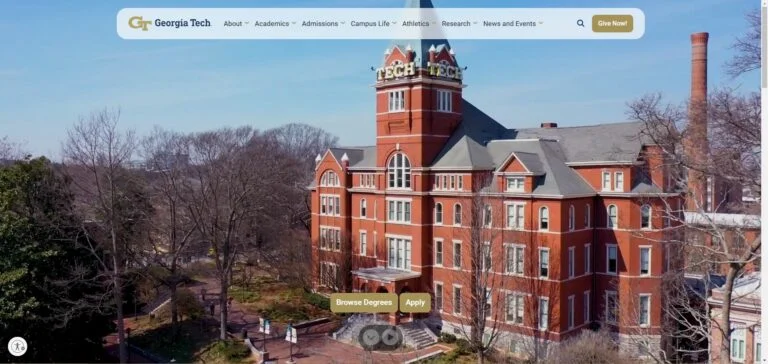
The Georgia Institute of Technology (Georgia Tech) is a leading public research university located in Atlanta, Georgia. Known for its innovative programs in engineering, computing, business, and design, Georgia Tech combines cutting-edge research with a commitment to hands-on learning. With a strong emphasis on technology and entrepreneurship, Georgia Tech prepares students to tackle global challenges and drive innovation across industries.
- Category
- Reference » Education » Colleges and Universities

Contabo
Contabo stands out as a premier web hosting and cloud service provider, offering unparalleled computing power at an exceptionally competitive cost. With a commitment to customer satisfaction, Contabo provides award-winning support delivered by real people, not automated bots.
- Category
- Computers » Internet » Web Hosting
More Articles Like: Inside the Thinking Machine: How Computers Turn Ideas into Action
Inside Supercomputing: How the World’s Fastest Computers Solve Impossible Problems
Supercomputing sits at the frontier of modern computing, combining immense processing power with advanced architectures to tackle problems far beyond the reach of ordinary machines. From climate modeling to drug discovery, these systems are reshaping science, industry, and national strategy.

Business Services Explained: The Engine Behind Modern Company Growth
Business services help organizations operate more efficiently, scale faster, and focus on their core strengths. From consulting and IT support to logistics and marketing, these services play a central role in modern business success.
Supercomputing Explained: How Extreme Computing Power Solves the World’s Hardest Problems
Supercomputing combines massive parallel processing, advanced architectures, and high-speed networking to tackle calculations far beyond the reach of ordinary machines. From climate modeling to drug discovery, these systems are essential tools for modern science, industry, and national research.